
This article will guide our clients through the process of granting Majority Strategies the proper channel access it needs to publish YouTube ads.
To grant Majority Strategies access, please follow these steps:
1. Go to www.youtube.com, and make sure you're signed in to the proper account in the top right:
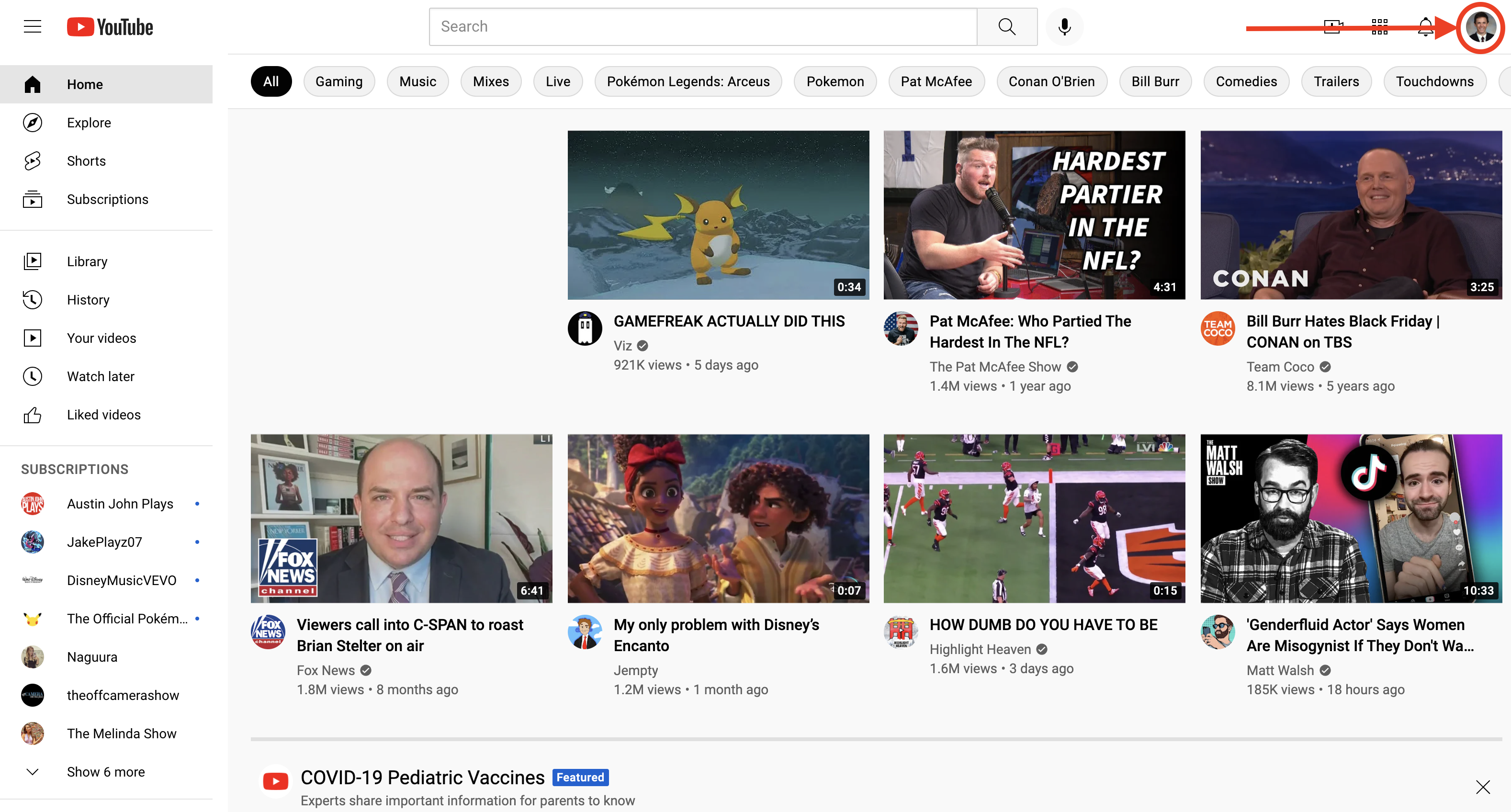
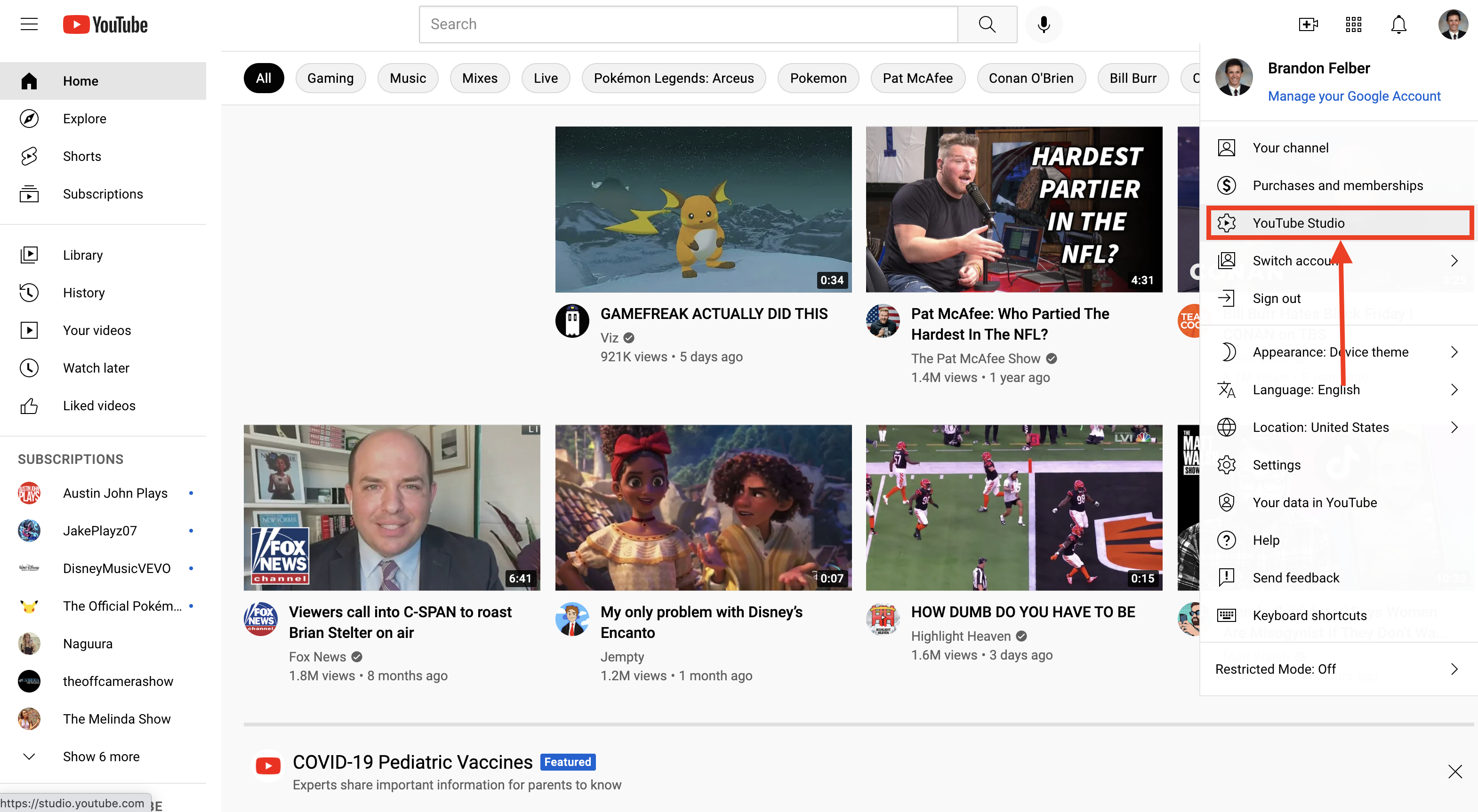
2. Click on your account image and then select "YouTube Studio:"
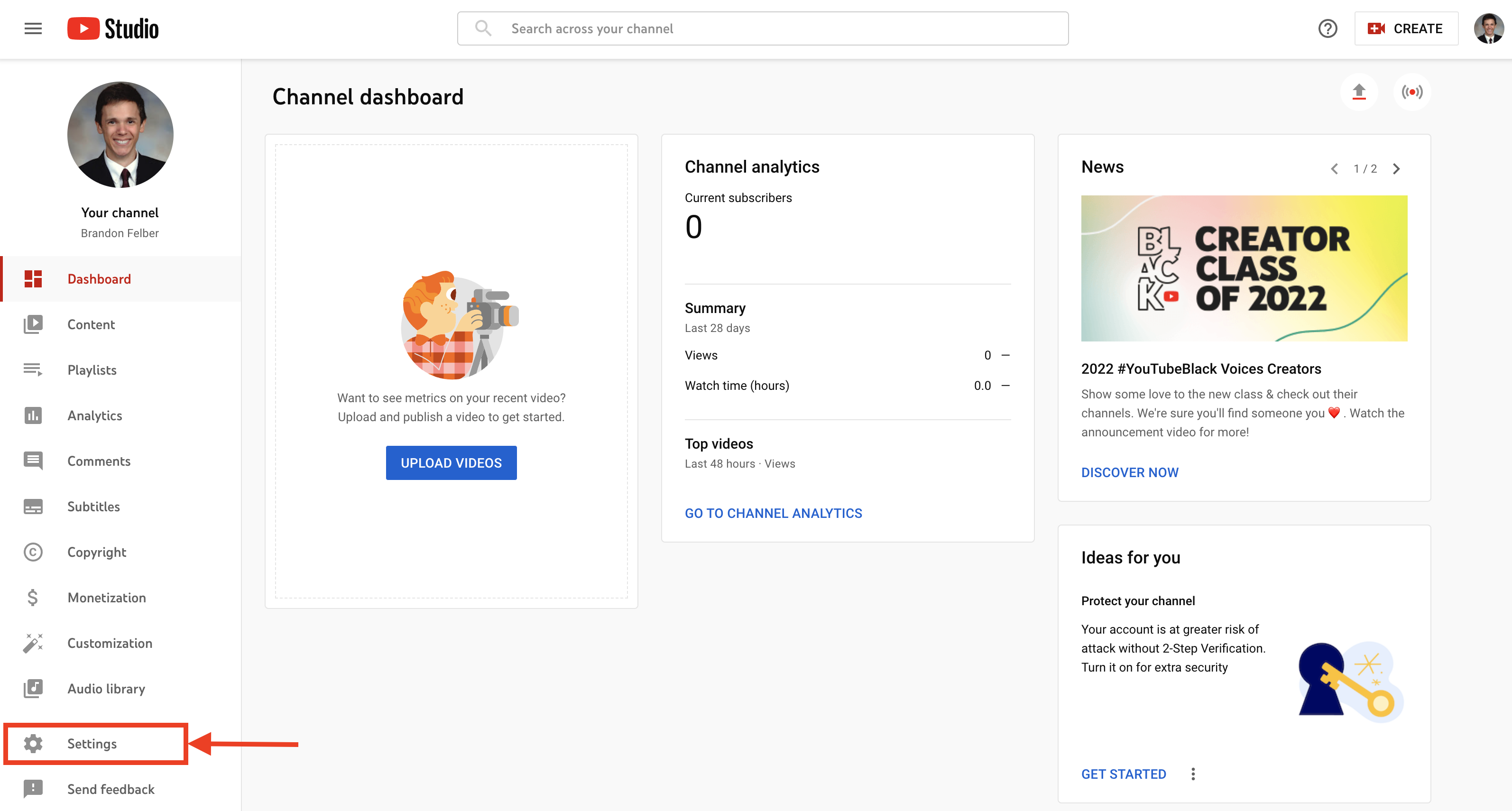
3. Click on "Settings" in the bottom left of the screen:
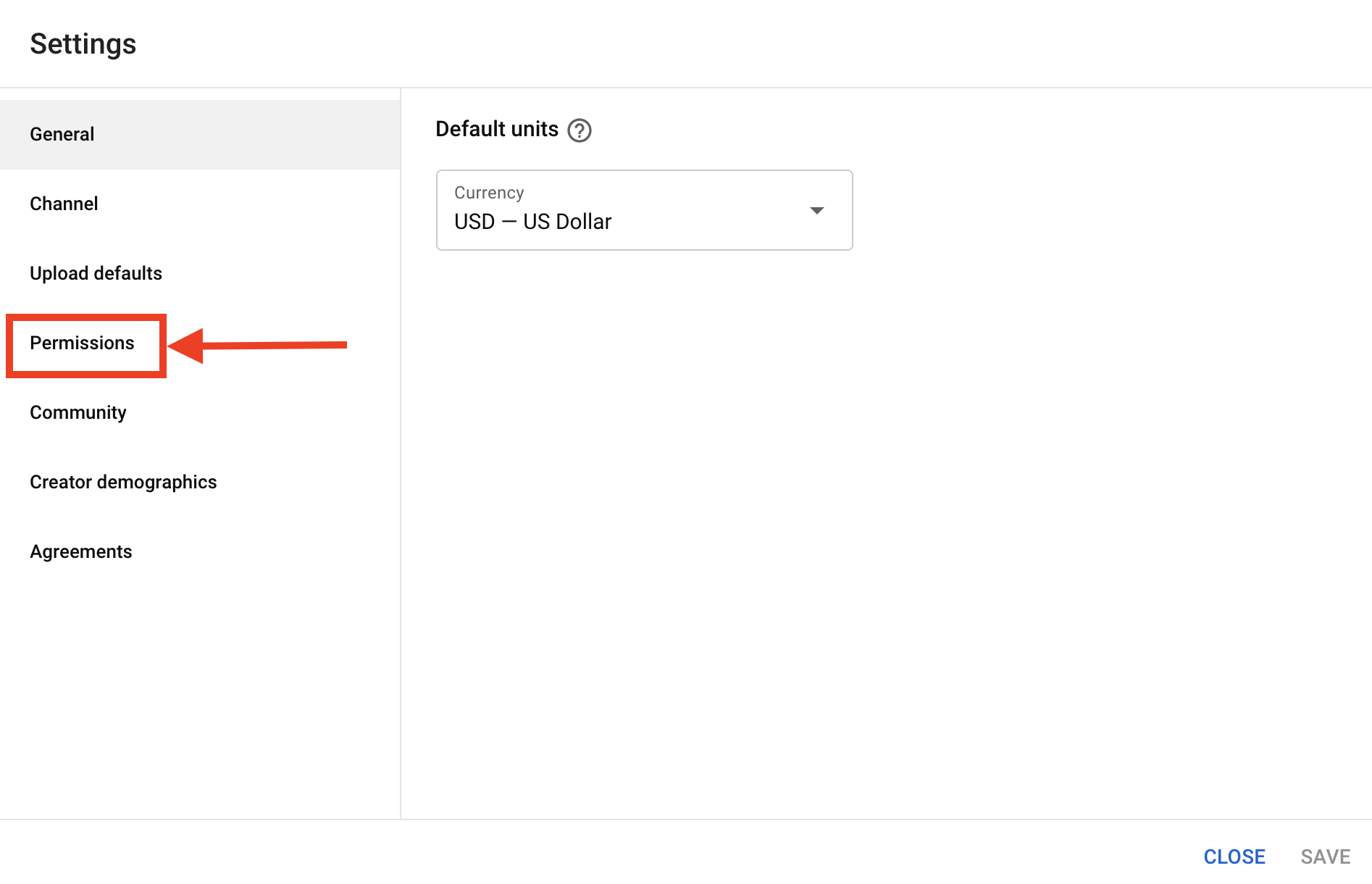
4. Click on "Permissions:"
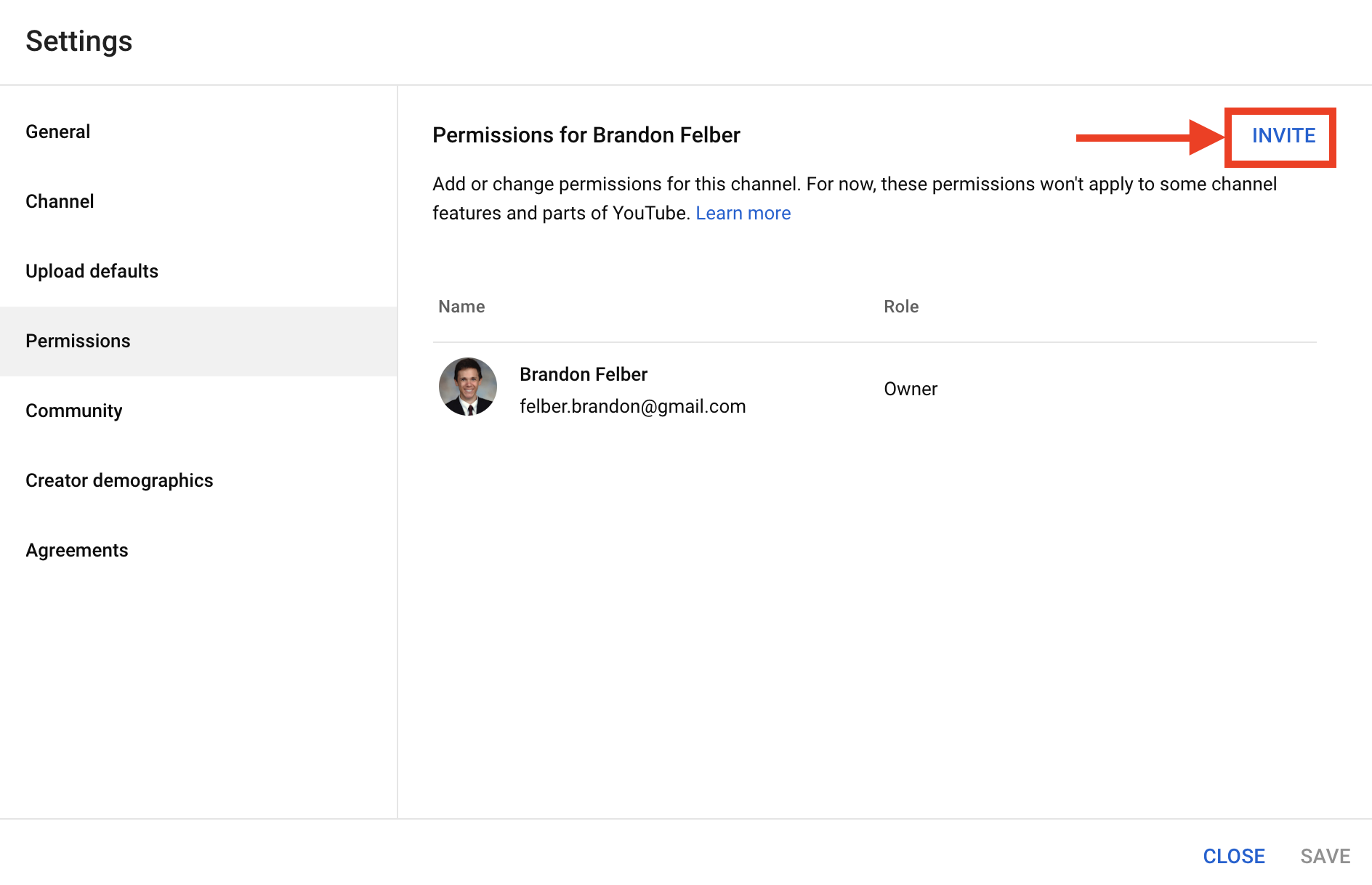
5. Click on "INVITE" in the top right:
6. Input youtube@majoritystrategies.com as the email address, select manager for the level of access, then click "DONE" followed by "SAVE:"
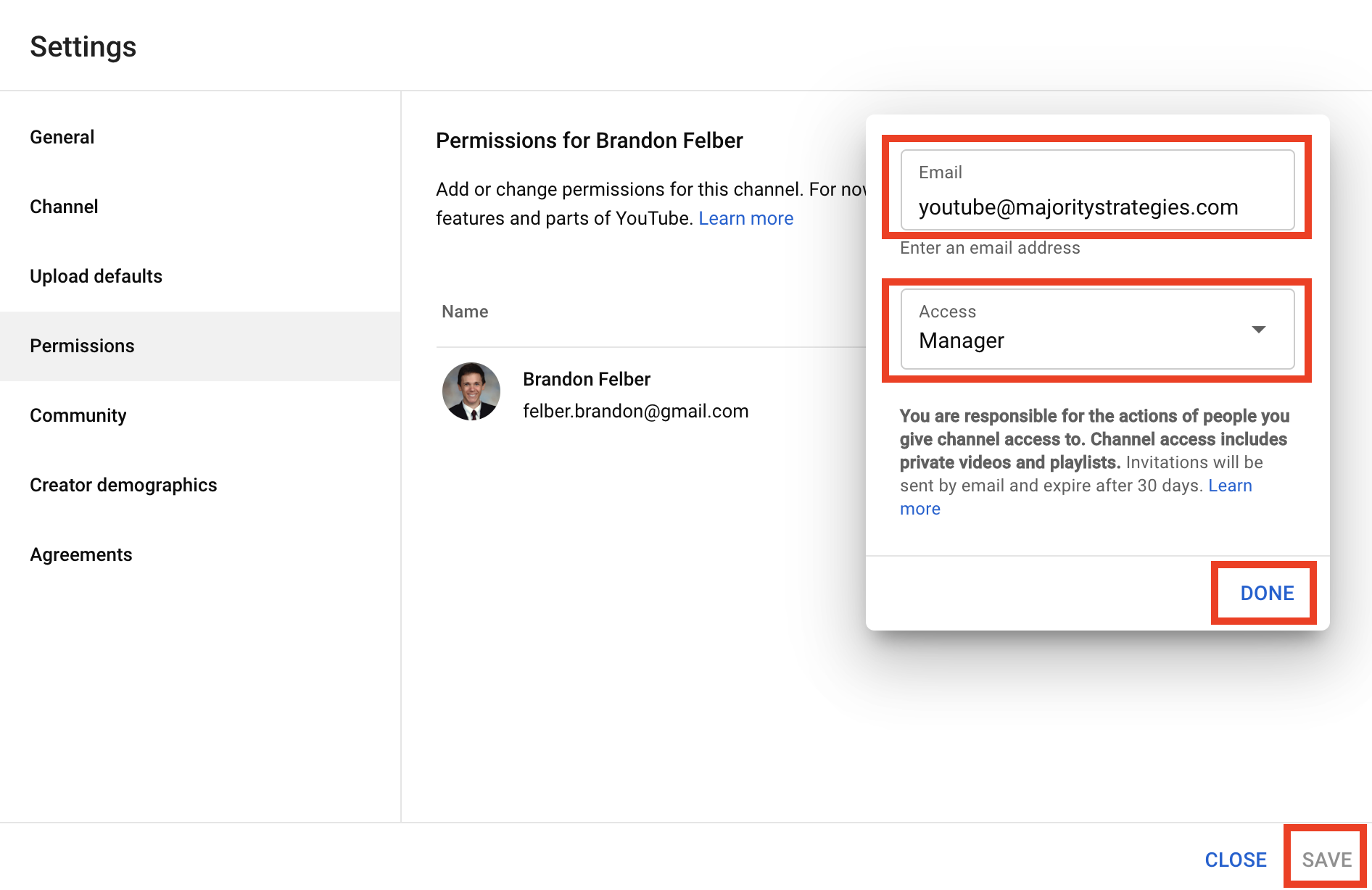
Once that save button has been clicked, Majority should receive an email invitation to manage the YouTube channel, thus granting us the access needed to go into the platform and upload video ads.
Comments
0 comments
Please sign in to leave a comment.